Showing posts with label Graphic Design. Show all posts

0 New Banners!

Hey, guys!

I've now created two new banners (on picMonkey, which is great for these things, sign up here: http://www.picmonkey.com/) for my Project of the Week and Idea Friday. Take a look!

proj of week

idea friday

Naturally, they're in the theme colours and font. I really should've done this earlier. It took about 10 minutes. Oh well. Enjoy!


0 Project of the Week 3- Social Media Icons

Hello!

It's the third project of the week! I've been blogging for almost a month. WOW. Anyway, let's get started.

Everyone loves social media icons, right? But some of them are just too... plain. Like the ones I had on my sidebar before this... I wanted some that matched my theme. So I decided to draw some. For this, I used an iPad app called Doodle Paper (you can go read my post about iPad art here: https://colourfuldecorations.wordpress.com/2014/02/21/ipad-art/).

I basically drew a set of nine social media icons, following these simple steps.

1. Draw a watercolour blob. Yes, it's very simple. Just select the watercolour function and the colour you want, and scribble out a blob.

IMG_1148

2. Draw a smaller, darker, watercolour blob to inside. This will mimic the gradient effect.

IMG_1149

3. Then, select the pen function, and draw a sketchy, inverted picture of your desired social media icon.

IMG_1150

4. Crop it. Put it into the size you want, and then post it in some online photo dumping grounds. I believe Photobucket is the best, and you can get an account for free here. http://photobucket.com/.

Don't worry, you don't have to make a social media icon this way. The possibilities are endless, especially with a very flexible app like Doodle Paper. You could even draw it on paper. However, if you want to grab my social media icons, you can find the images here:


Happy drawing!

1 iPad Art

Hey, all!

Have you ever heard of drawing on iPads? Well, now you have. There are many great ordinary apps out there for your iPad. Some apps are free, and others are paid. A few professional apps I really want to get some day are Auryn Ink, Procreate, and Art Set, but that's for the next time I get an iTunes gift card. However, out of the free apps I have tried, I believe these are my favourites.

1.Doodle Paper HD
Doodle paper is officially my favourite iPad art app. It includes pencil, pen, calligraphy pen, marker, watercolour, and eraser. There an undo button, which is useful if your hand slips. You can also 'play' your drawing, stroke by stroke. It's great, so download it!
http://www.iosnoops.com/2013/05/29/doodle-paper-hd-new-app/


This is a black and white apple I did. I also sketched a coloured one, but unfortunately, it would not load.


2. iPastels
This is a detailed pastel app, and includes chalky, smooth, and bold pastels. There are six different sizes to choose from. There are also options such as smudging with your finger (very realistic), smudging with a cotton swab, and simply erasing the pastel. Lots of colours and an undo button! http://www.iosnoops.com/appinfo/ipastels-for-ipad/489302558


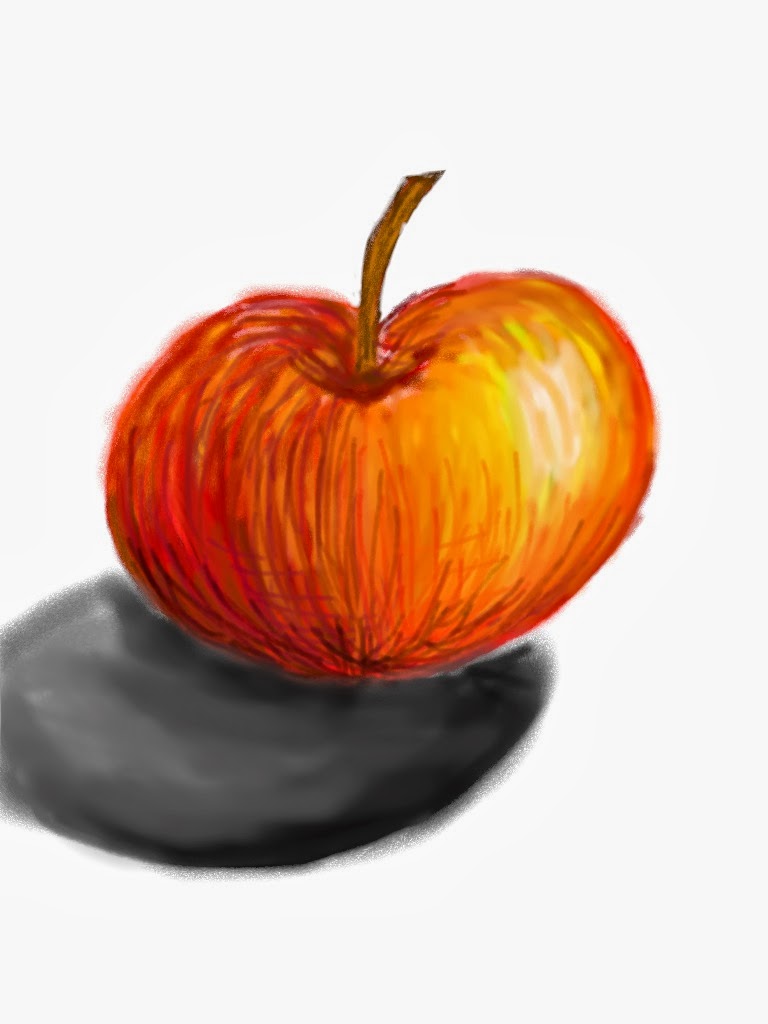
This apple didn't turn out the greatest; at least, not with the shadow. I'll have to work on it.


3. Bamboo PaperThis app is really simple, and doesn't have more than pen, highlighter, and marker. Each of these have three different thicknesses, which are really just small, medium, and large. It's more of a doodle tool than something for fine art. You can also take notes easily here. Go to http://www.iosnoops.com/appinfo/bamboo-paper-notebook-for-ipad/443131313


Here's a quick doodle I did on Bamboo Paper. It isn't really my best artwork or anything, but it looks cute.

Hope you guys all get one of these apps!